What are good tools for working with a backend server?

I’ve used a web browser, cURL, openssl client, and Python for getting to a back end REST server. I’ve recently discovered HTTPie. For example

https GET https://127.0.0.1:7554/application/loggers –cert colinpaice.pem –cert-key colinpaice.key.pem –verify ca.pem2

This invokes some Python code which does all the work. It produced

The documentation is here.

Keep a session

By default each request is a single shot, nothing is retained (such as a Java Web Token) so you need to enter your credentials every time.

However, HTTPie also supports persistent sessions via the --session=SESSION_NAME_OR_PATH option. In a session, custom HTTP headers (except for the ones starting with Content- or If-), authentication, and cookies (manually specified or sent by the server) persist between requests to the same host.

Named sessions

You can create one or more named session per host. For example, this is how you can create a new session named user1

http --session=user1 -a user1:password .... 

From now on, you can refer to the session by its name (user1). When you choose to use the session again, all previously specified authentication or HTTP headers will automatically be set.

Plugins

There are plugins available see here. For example authentication

Not for humans – AT-TLS and security messages

EZD1287I TTLS Error RC: 6 Initial Handshake

6 Key label is not found

My server certificate was in the keyring, but it had expired. I renewed it, and got past this.

EZD1287I TTLS 403 No certificate received from partner.

403 No certificate received from partner.

In my curl request I did not have –cert ./colinpaice.pem:password –key ./colinpaice.key.pem, when the server expected a certificate (gpmserve had CLIENT_CERT(ACCEPT)).

My z/OS had HandshakeRole ServerWithClientAuth, but the client did not provide a certificate.

EZD1287I TTLS Error RC: 428 Initial Handshake

The private key cannot be obtained from the certificate.

The server userid needs access to the keyring. If the private key belongs to the server’s userid, then the server’s userid needs read access to the keyring. If the private key belongs to a different userid, the server’s userid needs update access to the keyring. See here for more information.

EZD1287I TTLS Error RC: 435 Initial Handshake

435 Certification authority is unknown.

I got this having replaced the CA certificate. Deleting a certificate removes it from any keyring. When you recreate the CA, you need to add it to every keyring it was in. Before deleting a certificate it is worth listing it to see where it is used. I added it to my keyring and it worked!

EZD1287I TTLS Error RC: 510 No acceptable key labels found

510 No acceptable key labels found

My server certificate was in the keyring, but it did not have the capabilities to support the handshake. For example client only supported RSA, but server was ECC.

pthread_security_np, pthread_security_app_np

This function call can be used to map a certificate to a userid.

I got

ESRCH (143): The user ID provided as input is not defined to the security product or does not have an OMVS segment defined.

errno2 0be8044c. Code 044c is JRNoCertforUser, There is no userid defined for this certificate. Action: Ensure the userid is known to the SAF service.


You also get this message if the mapping from certificate to userid is missing. For example

RACDCERT DELMAP(LABEL('IBMUSER1Label))ID(IBMUSER)
RACDCERT MAP ID(IBMUSER) -
WITHLABEL('IBMUSER1Label') -
SDNFILTER('CN=colinpaice.O=cpwebuser.C=GB')
RACDCERT LISTMAP ID(IBMUSER)
SETROPTS RACLIST(DIGTNMAP, DIGTCRIT) REFRESH

R_ticketserv (IRRSPK00): Parse or extract 8, 16, 28

I was using the service to generate a pass token, and got SAF 8 RACF 16 RS 28.

Unable to generate PassTicket. Verify that the secured signon (PassTicket) function and
application ID is configured properly by referring to Using PassTickets in z/OS Security Server RACF Security Administrator’s Guide.

Action

I needed to define

RALTER  PTKTDATA MYAPPL  SSIGNON(KEYMASKED(7E4304D681920260)) - 
APPLDATA('NO REPLAY PROTECTION')

Where MYAPPL is the application name.

R_ticketserv (IRRSPK00): Parse or extract 8, 8, 16

With userid = “ADCBD” and APPL = ” MVSS0W1″ I got SAF 0 RACF 0 RS 0.

With userid = “ADCBD” and APPL = ” TSOS0W1″ I got SAF 8 RACF 8 RS 16. Not authorized to use this service.
I used

RDEFINE PTKTDATA   IRRPTAUTH.TSOS0W1.*  UACC(NONE) 

and it worked

EZD1287I TTLS Error RC: 467 Initial Handshake

Running from Python – a request worked. Running from Chrome gave me the above message.
I solved it by making the connection TLS 1.3 ON and TLS 1.2 OFF

The doc (Cryptographic Services System Secure Sockets Layer Programming)

says

467 Signature algorithm not in signature algorithm pairs list.
Explanation
A signature algorithm that is used to sign a local or peer certificate is not included in the signature algorithm pairs list or the certificate signature algorithm pairs list. The server certificate chain must use signature algorithms included in the signature algorithm pairs or the certificate signature algorithm pairs that are presented by the client during the TLS handshake. The client certificate chain must use signature algorithms included in the signature algorithm pairs or the certificate signature algorithm pairs that are presented by the server during the TLS handshake. If remote partner specifies the signature algorithm pairs and the certificate signature algorithm pairs, the specified certificate signature algorithm pairs take precedence over the signature algorithm pairs. For TLS V1.2 handshakes, the GSK_TLS_CERT_SIG_ALG_PAIRS setting is only used on the client
side to indicate the signature algorithms that the client supports in the server’s certificate chain.
User response
Ensure that the signatures of the local and peer certificates in the certificate chain use signature algorithms that are present in the signature algorithm pairs list or the certificate signature algorithm pairs list that is presented by the session partner. If the certificate chain is correct, configure the client or server or both to specify all necessary signature algorithms pairs in the GSK_TLS_SIG_ALG_PAIRS or SK_TLS_CERT_SIG_ALG_PAIRS
settings to allow use of the certificate chain. If GSK_TLS_CERT_SIG_ALG_PAIRS is specified, it takes precedence while checking the signature algorithms used in the certificate chain.

Zowe: setup: configuring end user userids

Connect the userid to the right groups.

It is better to give permissions to groups, rather than to individual userids.

If someone changes jobs, within your organisation, you just remove the userid of the person leaving from the group, and they lose all access.

If you have given access to a userid, you have to go through all resources (for example APPLs) and remove access.

When a new person joins, you just connect them to the group, and they should have access.

Zowe groups

If you are going to use Zowe, then user userid needs access to the Zowe group.

  • If class(APPL) OMVSAPPL is defined, the Zowe group needs read access to it
  • If users will be using z/OMSF they will need read access to the class(APPL) IZUDFLT (or what ever is specified)
  • If certificate logon is being used, the certificate will need to map to a userid

Access z/OSMF

If userid will be using z/OSMF they need access to the z/OSMF group.

In the z/OSMF logs, I got

CWWKS2907E: SAF Service IRRSIA00_CREATE did not succeed because user colin2 has insufficient authority to access APPL-ID IZUDFLT. SAF return code 0x00000008. RACF return code 0x00000008. RACF reason code 0x00000020.

I connected userid COLIN2 to the z/OSMF group IZUUSER. I think the change is available immediately.

Access to OMVSAPPL

An application can switch userid by using the pthread_security_np, and passing in a userid and password or a certificate (which maps to a userid).

The application can control which userid can be used by means of an resource in the APPL class.

If the resource was called MYAPPL, then pthread_security_np would use “MYAPPL”, and the userid being switched to much gave read access to MYAPPL.

The default (and only supported) resource is called OMVSAPPL.

If OMVSAPPL in class(APPL) is defined, the userid must have read access to it. z/OSMF also uses OMVSAPPL.
If OMVSAPPL in class(APPL) is not defined, no checks are done.

With Zowe you cannot specify the resource name.

Certificate logon

You can use a digital certificate from a web browser ( curl, or other tools) to authenticate to z/OS.  You need to map the certificate to a userid.

A certificate coming in can have a Distinguished Name like CN=adcdd.O=cpwebuser.C=GB  (Note the ‘.’not ‘,’ between elements).

Your userid needs to have SPECIAL define to be able to use the RACDCERT command (SPECIAL, not just GROUP-SPECIAL).

You will need a definition like (see here for the command)

RACDCERT MAP ID(ADCDD ) - 
    SDNFILTER('CN=adcdd.O=cpwebuser.C=GB') - 
    WITHLABEL('adcdd')

or a general definition for those certificate with  O=cpwebuser.C=GB, ignoring the CN part

RACDCERT MAP ID(ADCDB ) - 
   SDNFILTER('O=cpwebuser.C=GB') - 
   WITHLABEL('cpwerbusergb') 

or using the Issuing Distinguished Name (the Certificate Authority)

IDNFILTER(‘CN=TESTCA.OU=SSSCA.C=GB)

Using a generic

SDNFILTER(‘CN=a*.O=cpwebuser.C=GB’)

does not work.

If you attempt to use a certificate which is not mapped you get

ICH408I USER(START1 ) GROUP(SYS1 ) NAME(COLIN)
DIGITAL CERTIFICATE IS NOT DEFINED. CERTIFICATE SERIAL NUMBER(0163)  SUBJECT(CN=adcdd.O=cpwebuser.C=GB) ISSUER(CN=SSCA8.OU=CA.O=SSS.C=GB).

It is worth defining these using JCL, because if you try to add it, and it already exists then you get a message saying it exists already.  If you know the userid, you can list the maps associated with it.   If you do not know the userid, there is no practical way of finding out – you have to logon with the certificate, and display the userid from the web browser, or extract the list of all users, and use LISTMAP on all of them.

Zowe: Planning: How do I protect what Zowe users can do on z/OS?

As part of my planning for Zowe, I wanted to know how I could control what Zowe users can do on z/OS. I could not find any definitions for security profiles, so how do I do it?

It took a few days thinking about this to realise I was looking a the problem the wrong way. The correct way of looking at it, is that Zowe is a transport system for getting requests from a user’s work station to z/OS. This is similar to a 3270 emulator connection to z/OS. You control what the userid can do, and do not try to control what the 3270 emulator can do.

When a userid logs on to TSO through a 3270 emulator, z/OS knows the userid of the address space, and can control access to what resources the userid can access.

When a userid logs on to Zowe there are two paths that can be taken:

  • Zowe can create a TSO address space for the userid, using the CEA facilities. The z/OS® CEA TSO/E address space manager provides services to programmatically start and manage TSO/E address spaces and provides a communications mechanism for use between the caller and the programs running in these managed address spaces.
  • A thread within Zowe can use the pthread_security and change the userid of that thread. It can use your certificate, or a userid and password to validate the user. At the end of the request it resets the userid back.

From a permissions perspective, it does not matter if request came into a TSO address space or as a result of the pthread_security request. The userid is extracted and normal SAF processing is used to manage access to a resource.

But…

Your system may have IPSEC rules which police traffic into and out of TCP/IP on z/OS, for example allow traffic from these external IP address during 0900 to 1700 Monday to Friday, and deny access at any other time.

You might need to have similar rules for connectivity through Zowe. There are several ports used by Zowe and z/OSMF. You need to review what controls you need for these ports to stop unwanted traffic from accessing your system.

Zowe: Which messages to automate

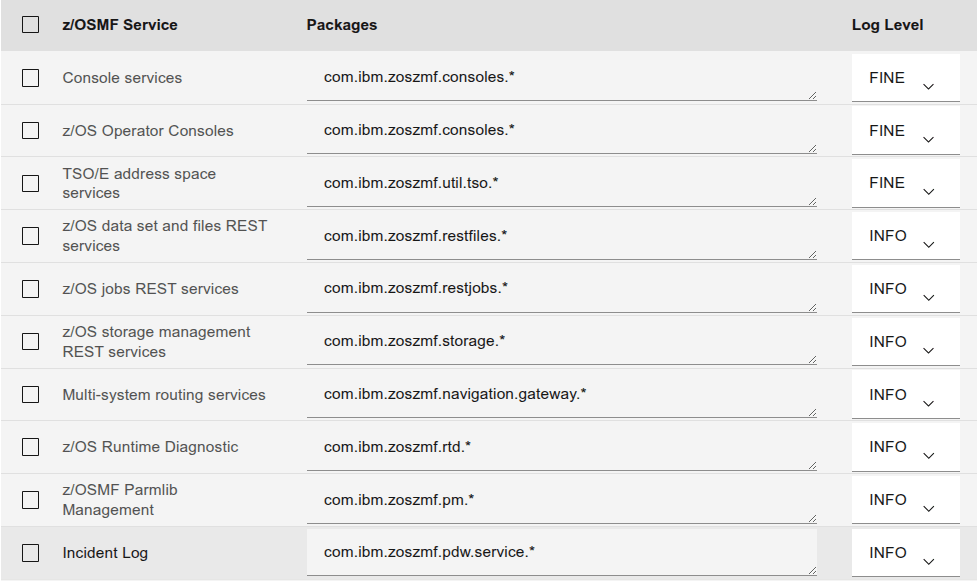
In the Zowe.yaml file is a section sysMessages. This is a list of the messages that are displayed on syslog. You can add messages to these.

The provided list is

  • ZWEAM000I %s started in %s seconds, giving the component and the duration of the startup
  • ZWED0031I The appServer is ready at ipAddress, Plugins successfully loaded: percentage% (successful/total)
  • ZWEL0001I component %s started. A start request was issued for the component
  • ZWEL0002I component %s stopped. A request was made to stop the component
  • ZWEL0006I starting components. A request was made to start the component specified as enable: true in the zowe.yaml file.
  • ZWEL0008I stopping components. A request was made to stop Zowe, and Zowe is shutting down.
  • ZWEL0018I Zowe instance prepared successfully. The pre-starting checks have been completed. This message is followed by ZWEL0006I starting components.
  • ZWEL0021I component %s stopped
  • ZWEL0022I Zowe Launcher stopped. This is the last message that Zowe emits.
  • ZWES1013I ZSS Server has started. Version ‘%s’ ‘%s’
  • ZWES1601I ZSS Server is ready to accept JWT with|without fallback to legacy tokens

Zowe: messages on z/OS when using Zowe

ZWEAO503E The server is not ready to handle the request: /apicatalog/api/v1/

I got this when the ZAAS service was stopped, use the f zowe,appl=DISPLAY to display the status of the various tasks.

You can use f zowe,appl=start(ZAAS) to start it. Check the zowe sysprint data set for any error messages.

I also got the following message in the z/OSMF logs

CWWKS2907E: SAF Service IRRSIA00_CREATE did not succeed because user adcdb has insufficient authority to access APPL-ID IZUDFLT. SAF return code 0x00000008. RACF return code 0x00000008. RACF reason code 0x00000020.

BPXTLS failed: rc=-1, return code=143, reason code=0x0be80000


Error: service has no impersonation; make sure process user has sufficient authority:
z/OS: program control flag must be set, UPDATE access to BPX.SERVER and BPX.DAEMON SAF resources is required
Other platforms: impersonation is not supported

This is actually from BPX1TLS, phread_security_np. There are not many cases where 0be80000 is mentioned. This link mentions PTKTDATA profiles.

LoadBalancer does not contain an instance for the service zaas

This was a tricky one to track down.

Zowe works with z/OSMF. They communicate with certificates. This means the z/OSMF trust store keyring needs the CA of the Zowe server certificate, and the Zowe trust store keyring needs the CA of the z/OSMF server key.

Not only that , if verifyCertificates STRICT is specified in the zowe.yaml file, then Zowe will check the server’s certificate sent from z.OSMF. This includes the altname or altIP, the altIP is the IP address of the connection. An internal IP address is 127.0.0.0. An external IP address is almost anything else. On my system I have addresses 127.0.0.1 and 10.1.1.2 and 10.1.2.6. You can display them using the TSO NETSTAT HOME command.

The zOSMF certificate did not have an altip specified, and so failed the Zowe checks. I had to set the Zowe option verifyCertificates NOSTRICT for it to work.

You can also get this message when the system is partially up.

ZWEAM701E; InvalidKeyException: Unrecognized RSA or RSASSA-PSS key algorithm name

The request to the URL ‘/zaas/api/v1/auth/login’ has failed: SignatureException: Unable to compute RS256 signature. Cause: Unrecognized RSA or RSASSA-PSS key algorithm name. caused by: InvalidKeyException: Unrecognized RSA or RSASSA-PSS key algorithm name. messageAction:Refer to specific exception details for troubleshooting.

It looks you Zowe server needs an RSA key for use with JWT. I changed from an Elliptic key to an RSA and it worked.

Using the web browser

403 Impersonation error

  • Error: response status is 403
  • Download
  • Impersonation error

In the logs/zssServer….log it has

BPXTLS failed: rc=-1, return code=139, reason code=0x0be803d1
Error: service has no impersonation; make sure process user has sufficient authority:
z/OS: program control flag must be set, UPDATE access to BPX.SERVER and BPX.DAEMON SAF resources is required

This is because Zowe does not have access to the profiles.

Action:
Check the profiles are defined, and the Zowe userid has UPDATE access to them.

Header X-Zowe-Auth-Failure: ZWEAG160E No authentication provided in the request.

I actually got the message ZWEAG160E No authentication provided in the request 5 times.

The header is collecting all errors during the treatment of the request. Because the response was 503 the Gateway retries it 5 times. This is strange, but expected behaviour.

I also got an error message in the z/OSMF log /global/zosmf/data/logs/zosmfServer/logs/trace.log

CWWKS2907E: SAF Service IRRSIA00_CREATE did not succeed because user colin2 has insufficient authority to access APPL-ID IZUDFLT. SAF return code 0x00000008. RACF return code 0x00000008. RACF reason code 0x00000020.

Give the userid access to the profile. It may be easier to connect the userid to the group. In my case to group IZUUSER.

I gave the userid access and then got

IYUCM0008W: The user ID colin is not authorized to resource type Navigation Task, resource name Software Services

X-Zowe-Auth-Failure: ZWEAG160E No authentication provided in the request

{
“additionalInfo”: null,
“debug”: null,
“httpStatus”: 403,
“messageID”: “IYUCM0008W”,
“messageText”: “IYUCM0008W: The user ID colin is not authorized to resource type Navigation Task, resource name Software Services.”,
“requestMethod”: “GET”,
“requestUri”: “/zosmf/provisioning/rest/1.0/scr”
}

X-Zowe-Auth-Failure: ZWEAG160E No authentication provided in the request.

I’m not sure about this. Certificate authentication should work, but I needed to specify

–basic –user colin2:password

Python

Fatal (HANDSHAKE_FAILURE): Insufficient buffer remaining for AEAD cipher fragment (2). Needs to be more than tag size (16)

This post said

I got the Insufficient buffer remaining for AEAD cipher fragment error when trying to use the Python client (browser and curl worked normally). After lots of trial and error, it seems the error was related to the SSL certificates not having properly configured extension fields, especially keyUsage and extendedKeyUsage, and the fact that urllib3 doesn’t include /etc/ssl/certs/ca-certificates.crt by default.

Another post said “This is an OpenJDK issue with TLS 1.3 “occurring between the OpenShift default route and Mule applications with re-encypt route enabled.”

Keystore file message is confusing

I saw the following in a GW trace record

[35mZWESVUSR [0;39m [36mINFO [0;39m((o.a.t.u.n.N.certificate)) Connector
[https-jsse-nio-0.0.0.0-7554], TLS virtual host [default], certificate type [UNDEFINED] configured from keystore [/u/tmp/zowec/.keystore] using alias [CONN1.IZUDFLT] with trust store [null]

it was confusing because I was not using a keystore file. This looks like a bug in Spring, and can be ignored.

ZWEAG121E Authorization header is missing, or the request body is missing or invalid for URL ‘/zaas/api/v1/auth/login’

  • messageAction: Provide valid authentication.
  • messageReason: The authorization header is missing, or the request body is missing or invalid.

I got this when trying to do a certificate login – and no password.

  • The certificate used did not have a mapping to a userid.
  • The userid was revoked

ZWEAO500E: The service has encountered a situation it doesn’t know how to handle.

Please contact support for further assistance. More details are available in the log under the provided message instance ID.

Case 1

I got this when I changed the a logging value using the REST API. I had

“configuredLevel”: “WARN2″‘

which is invalid.

Case 2

In the log I got

java.lang.ClassCastException: com.ibm.crypto.plus.provider.ECPublicKey incompatible with java.security.interfaces.RSAPublicKey

This is because the key type in my keyring was an Elliptic curve, but the code assumesit is RSA, and uses an RSA function – which does not work with an Elliptic key.

HTTPIE: Https error: ConnectionError: HTTPSConnectionPool(host=…, port=…)

Max retries exceeded with url: … (Caused by NewConnectionError(‘: Failed to establish a new connection: [Errno 111] Connection refused’)) while doing a GET request to URL: https://…

The back end was not active so the TLS hand shake failed.

How do you get into the well protected castle? – you tunnel

Before I retired, if I wanted access to the corporate systems, I would start up a tool (vpn/dialer) which set up an encrypted session to the corporate front end, and tunnel through this to get to the back end. It was transparent and was like being directly attached.

How do you set up your castle to allow authorised people in – but deny access to unauthorised access?

If you logon directly to a back-end server from a cafe or other public WiFi, your credentials etc may be in the clear. You need to use “a secure app” such as banking app, or provide a vpn or tunnel to access your system to encrypt the traffic.

I’ve been logging on to someone else’s system and most of the useful connections to this are disabled. I could access via 3270 but could not use FTP etc.

I was trying to debug a TLS problem and found suspicious evidence in the trace. A connection was being made to the TLS port on my server, and failing because it did not speak TLS. Someone had clearly found the IP address of my system, and was trying all ports to get in!

How do you protect the system and keep unwanted people out – but allow authorised people to connect. You need to do both of…

Secure tunnelling

You could use TLS to protect the conversation between client and server, but this means you have allowed the connection to get through TCP/IP and to your application before checking to see if the connection is permitted.

Port forwarding or tunnelling controls access to your system at the outer edge of your system, logically within TCP/IP, before it gets to your application. It is well described here.

I used the SSH command

ssh -N -L 9876:12.23.34.45:8765 colin@23.34.45.56 -p 2222

If I used address https://localhost:9876 in my web browser, I am connected to 12.23.34.45:8765 through system 23.34.45.56 .

Where

  • -N says port forwarding
  • my local port 9876 is linked to 12.23.34.45 port 8765
  • via IP address 23.34.45.56. Think of this as the guard house.
  • colin is the userid. You get prompted for your password.
  • use port 2222 at the guard house. Think of multiple entrances to the guard house. “General public” “special guest” “people who work here”. The port says go to the “special guest” door. The first time, you have to successfully logon with your userid and password to get your details recorded as a valid visitor to the site. You are given a token which is saved for next time you want access (think of it as a visitor badge).

What is IPSEC?

IPSEC is part of Communications Server on z/OS. It provides

  • IP filtering to control which packets can enter the system
  • IP filtering to control which packets can leave the system

You can filter on

  • packet information – allow a ping, but not FTP
  • network attributes – only allow from a list of IP address
  • time – at certain times of day. For example a normal working day – so if someone is trying to access this system at two o’clock in the morning, this would be worth investigating.

You can

  • allow
  • deny
  • log

You need to be careful setting the rules up – if you want to allow traffic in from 1.2.3.4, then you need to allow traffic out to address 1.2.3.4

My rule

I would set up an input rule like

For input port 8765 deny all access, all packet types, all hours of the day.

Using the tunnel needs a little care

The browser validates the certificate sent from the server. If there ALTNAME, the client(browser) should check that the IP address specified in the ALTNAME matches the IP address used in the original URL, and your connection has not been high jacked.

In my browser I used https://127.0.0.1:9876, where 9876 was specified in the ssl command above. The certificate at the server had ALTNAME with IP address of 127.0.0.1, and so this was considered valid. The IP ALTNAME IP adddress is usually the IP address of the server (or one of them if there are more than one) so you may get messages saying an insecure certificate is being used. You can accept this, or configure your browser to ignore these checks (which is not a good idea)

Thanks

Thanks to Lionel Dyck and Randy Rackov for their help in this blog post.

Zowe: Setting up the Zowe side for a web browser

If you want to use your web browser to connect to a Zowe server, it is just like connecting to any other back end server.

  • The browser need the CA certificate used to sign the Zowe server’s certificate.
  • The server needs the CA used to sign the browser’s certificate, in the server’s trust store.

The browser need the CA certificate used to sign the Zowe server certificate.

If you do not have a copy of the exported certificate you can export it

//COLINEXP JOB 1,MSGCLASS=H 
//S1 EXEC PGM=IKJEFT01,REGION=0M
//STEPLIB DD DISP=SHR,DSN=SYS1.MIGLIB
//SYSPRINT DD SYSOUT=*
//SYSTSPRT DD SYSOUT=*
//SYSTSIN DD *
RACDCERT CERTAUTH EXPORT(LABEL('DOCZOSCA')) -
DSN('COLIN.CERT.DOC.CA.PEM')
//

This will delete the dataset, recreate it and export the certificate.

This exported certificate will look like

-----BEGIN CERTIFICATE-----                                          
MIIBtzCCAV6gAwIBAgIUb0N8Xwb/WNulhgjzRcIwVBmfAXwwCgYIKoZIzj0EAwMw
...
S9QFQcy5vKGFFAQ=
-----END CERTIFICATE-----

Copy this file to where ever it is needed.

On Linux you can use the command

openssl x509 -in cbt.ca.pem -text -noout|less

to display the contents

Certificate:
Data:
Version: 3 (0x2)
Serial Number: 0 (0x0)
Signature Algorithm: sha256WithRSAEncryption
Issuer: O = COLIN, OU = CA, CN = DOCZOSCA
Validity
Not Before: May 2 05:00:00 2025 GMT
Not After : Jul 3 04:59:59 2029 GMT
Subject: O = COLIN, OU = CA, CN = DOCZOSCA
...

Note: The base64 command does not decode the base64 content properly.

Import this file into your browser

For example with Chrome. Settings, search for certificates, click on security, click on Manage Certificates. Click on Customised, Trusted certificates, Import. Select the file name. You may have to select All Files at the bottom to get your file included in the list.

The file should now be installed, and be listed under Trusted certificates. Click on the pen icon to display it.

The server needs the CA used to sign the browser’s certificate it the server’s trust store.

Create a VB data set on the Zowe z/OS machine. Copy the contents of the client’s CA into this data set. I used cut and paste.

//COLINADD JOB 1,MSGCLASS=H 
//* ADD ORKENY CA CERTIFICATE
//S1 EXEC PGM=IKJEFT01,REGION=0M
//SYSPRINT DD SYSOUT=*
//SYSTSPRT DD SYSOUT=*
//SYSTSIN DD *
RACDCERT CHECKCERT('COLIN.CERT.DOC.CA.ORK')
RACDCERT DELETE -
(LABEL('ORKCA256')) CERTAUTH
RACDCERT CERTAUTH ADD('COLIN.CERT.DOC.CA.ORK')-
WITHLABEL('ORKCA256') TRUST
RACDCERT CERTAUTH LISTCHAIN(LABEL('ORKCA256'))

RACDCERT ID(COLIN) CONNECT(RING(ZOWE) -
CERTAUTH -
LABEL('ORKCA256'))
SETROPTS RACLIST(DIGTNMAP, DIGTCRIT) REFRESH

When this is successful, you will need to shutdown and restart Zowe.

Zowe: Planning – certificates

A private key is used for encryption and should be kept private. If someone has access to the private key they can impersonate you.

A public key is the opposite of the private key. It is used for decrypting data encrypted with the private key. The public key can (and should) be generally available.

Certificates are used in TLS for authentication and encryption, and can be used for identification. They include a public key.

A Certificate Authority(CA) certificate is used to validate other certificates. It involves doing a checksum of a certificate, and encrypting it with the CA private key – a process known as signing the certificate

To validate a certificate, the recipient needs a copy of the CA which was used to sign the original certificate. It can the decrypt the encrypted checksum, and compare it with the certificates checksum.

If you create a Certificate Authority certificate you will need to distribute this to all machines that might communicate with your server(possibly thousands of machines), and installed into the keystore on those machines. This can be a big task. Most system have one site wide CA certificate which is distributed to all machines. You might have a second CA to limit access to a system. This CA is used to sign the server certificates.

Creating certificates

As part of creating a certificate you create the private/public keys. There are different algorithms for these keys. Some are stronger than others (it takes more time and CPU to break them) Keys with elliptic curve algorithms are generally stronger than using RSA techniques, and there other techniques resistant to Quantum Computing.

You have to use a server certificate with RSA and keysize 2048.

I found that authentication with JWT (Java Web Tokens) only worked with RSA keys and not Elliptic Curves. This is because of encryption with JWT.

Key stores

You should use keyrings rather than .pem files, as they are more secure. .pem files can be copied, and anyone with authority can copy them. You have to give explicit permission to be allowed to access a keyring. Certificate and the private keys within a keyring can be stored in cryptographic hardware, and the private keys are never exposed in clear text.

Many systems uses a keystore for storing the private key used by the server, and a trust store for the Certificate Authority keys needed to validate any client certificate sent to the server. This can, but is not recommended, be the same as the keystore.

The keystore will need the server key. You can specify which key should be used.

  • the Certificate Authority keys needed to validate the server key.
  • the server userid needs access to the keyring. If the private key belongs to the server’s userid, then the server’s userid needs read access to the keyring. If the private key belongs to a different userid, the server’s userid needs update access to the keyring. See here for more information.

The trust store needs all the CA certificates which may be needed to verify a client certificate.

The client machine will have one or more certificates. A copy of the CA used to create these needs to be installed in the trust store on the server.

I understand that if you add a certificate to the trust store, you need to restart Zowe for it to be picked up, so try to get a list of all the CAs you will need before you start.

Validating certificates

The trust store needs the certificates to validate any client certificates sent to the server. This will usually just be Certificate Authority certificates.

Zowe works with z/OSMF. They communicate with certificates. The z/OSMF trust store keyring needs the CA of the Zowe server certificate, and the Zowe trust store keyring needs the CA of the z/OSMF server key. If they are not set up properly you can get messages “LoadBalancer does not contain an instance for the service zaas”.

If you have a site wide CA, which is the same for both of the server keys, then you do not need to do any more work, as both trust store keyrings will already have the CA. If Zowe and z/OSMF have different CA certificates, the CA certificates need to be connected to the other keyrings.

Subject Alternative Name

The Subject Alternative Name within a certificate provides the IP addresses, or IP Names of the server. A client can check this address with the IP address of the session, and terminate the session if they do not match. This is considered best practice. This check can be disabled in Zowe by using verifyCertificates NOSTRICT in the zowe.yaml file.

RACF allows one name or address when the certificate is defined, for example ALTNAME(IP(127.0.0.1))

On my z/OS system the command TSO NETSTAT HOME gives three addresses 127.0.0.1 and 10.1.1.2 and 10.1.2.6.

You can configure your sysplex, so all systems in the sysplex have the same IP address, and traffic gets routed internally to the correct system. Without this, if you start a server on a different LPAR it will have a different IP address, and so the validation will fail.

On my system, the zOSMF certificate did not have an ALTNAME specified, and so failed the Zowe checks. I had to set the Zowe option verifyCertificates NOSTRICT for it to work, until I fixed the certificate.

If the z/OSMF certificate has an ALTNAME(IP…) specified, use the IP address value when you configure zOSMF for example

zOSMF: 
host: 127.0.0.1
port: 10443
applId: IZUDFLT

Mapping certificates

If you are using client certificate to authenticate rather than a userid and password, then you’ll need to map certificates to userids, for example with the RACDCERT MAP command. You can specify which CA the certificates were signed with, and fields from the subject Distinguished Name. The question of which is better: using userid and password, or client certificate to logon has no easy answer

  • It is easy for a hacker to get a password (lost handbag, yellow sticky stuck to the screen, a couple of pints down the pub) It is easy to change a password once is is compromised.
  • It is harder for a hacker to get a certificate – but it is harder to change and re-issue a certificate. You have to get the updated certificate down to the client’s machine. It could be stolen if a hacker has access to the machine.
  • Using Biometric data to logon is the ultimate limit in this area. Hackers could steal it – but there is no way of changing it if it is compromised!

Decisions

You need to decide

  • Are you going to have a CA just for Zowe? or reuse the site CA.
    • If you are going to have a Zowe specific CA – how are you going to distribute it to all the client machines.
    • You’ll need to ensure Zowe and z/OSMF have the other’s CA certificates in their trust store.
  • Are you going to use Subject Alternative Name ALTNAME(IP(10.1.1.2))
    • What value of verifyCertificates STRICT|NOSTRICT are you going to specify in the zowe.yaml file.
  • Are you going to authenticate using certificates. You will need to set up mapping from certificate to userid. RACDCERT MAP
  • If you will be using JWT, and so need an RSA key in the server certificate

Zowe:Operating Zowe

Starting and stopping Zowe

You can start and stop the main server using z/OS start and stop commands
or you can start it from Unix Services using the zwe start –config … command.

I find the zwe command slow, as it has to spawn a process, to issue the command.

You will need authority to issue the commands whether you use sdsf or the zwe commands.

Using the start and stop commands

S ZWESLSTC

and stop it using

P ZWESLSTC

Using the Unix Services command zwe start –config …

zwe start --config /path/to/my/zowe.yaml

This issues a command on the console like

S ZWESLSTC,HAINST=S0W1,JOBNAME=ZWE1SV           

Where ZWESLSTC is the name of the started task procedure. This runs as job name ZWE1SV, the value in the zowe.job.name zowe.yaml file. The output from the job has name ZWE1SV in the spool.

You can stop it using the P… operator command or use

zwe start --config /path/to/my/zowe.yaml

Displaying active components

You can display the active components using

f ZWE1SLSTC,APPL=DISPLAY

This gives output like

ZWEL0011I     name =          gateway, PID = 33620200         
ZWEL0011I name = zaas, PID = 83952054
ZWEL0011I name = api-catalog, PID = 16843191
ZWEL0011I name = discovery, PID = 65976
ZWEL0011I name = caching-service, PID = 65977
ZWEL0011I name = app-server, PID = -1
ZWEL0011I name = zss, PID = 65979

Where a PID of -1 indicates the service is not running.

Starting and stopping components

You can stop and start components using

F ZWE1SV,APPL=STOP(app-server)
F ZWE1SV,APPL=START(app-server)

The output is like

F ZWE1SLSTC,APPL=STOP(APP-SERVER)                       
IEE342I MODIFY REJECTED-TASK BUSY
+ZWEL0002I component app-server stopped

Where

  • ZWE1SLSTC is the started task, or jobname.
  • the IEE342I messages are because some BPXAS tasks are started with the same jobname, and they do not respond to the Modify broadcast.

If you configure your Zowe started task procedure to be 7 characters or less, the additional BPXAS jobs created will be called like ZWE1SLST1, ZWE1SLST2, ZWE1SLST3… and you will not get the IEE342I MODIFY REJECTED-TASK BUSY messages