
Other posts on MFA:
- Multi Factor Authentication(MFA): Planning.
- MFA: installation and configuration
- MFA: Configuring a userid
- MFA: displaying information
- MFA: configuring Timed One Time Password (TOTP)
- MFA: Using a password
- MFA configuring a policy for out of band authentication
- MFA: configuring Yubikey
- MFA: setting up Linux as an authenticator to generate a TOTP password
- MFA: messages
With out-of-band authentication you log on to a MFA provided web page with multiple factors, such as certificate and password, to get a one time (and/or time limited) password which can be used in applications which do not support multiple factors in the password field.
A policy has a list of factors that must be used to get an out of band password.
The factors must exist, and be defined for a userid before they can be used in a policy.
My approach is to get a function working, such One Time Password, then configure a policy which uses it, and change the userid to use the policy.
Define a policy
You define a policy like
RDEL MFADEF POLICY.OOBYUBI
RDEF MFADEF POLICY.OOBYUBI OWNER(&OWNER)  -
    MFPOLICY(FACTOR(AZFYUBI1 AZFPASS1) TOKENTIMEOUT(60) REUSE(N))
SETROPTS RACLIST(MFADEF) REFRESH
RLIST MFADEF POLICY.OOBYUBI  MFPOLICY
and you specify which policies will be used. Profiles for the factors must exist, so they should exist in the output of the TSO search class(MFADEF) command, and the user configured to use them.
Display a policy
You can use
TSO rlist mfadef POLICY.OOBYUBI NORACF MFPOLICY
to display a policy. It provides the same information as is on the RDEFINE command.
Add a policy to a userid
You can use
ALU userid MFA(ADDPOLICY(OOBYUBI))
to add a policy to the user and remove it from the user with
ALU userid MFA(DELPOLICY(OOBYUBI))
where the value is in the POLICY…. list from the SEARCH class(MFADEF) output.
Using Out-of-bound authentication
You should be able to logon to the web page https://xx.xx.xx.xx:6793/mfa/OOBCERT where OOBCERT is the policy name.
After validation I got
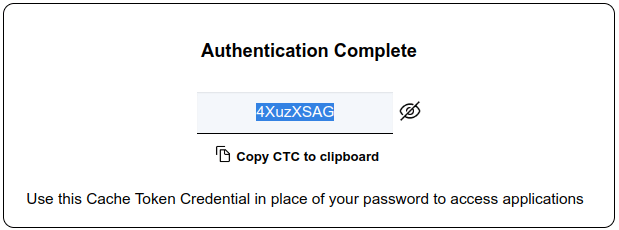
and I could use the password to logon to TSO.
 ColinPaice